What this tutorial covers
Enterprise AI often stops at “summarize our policies.” The harder question is operational: can this specific transaction be approved, blocked, escalated, or reported?
In this tutorial we use the fintech-transaction-compliance playbook as our example. It models
customers, accounts, transactions, counterparties, jurisdictions, risk policies, and required actions —
the same shape of problem compliance teams face every day.
By the end you will have:
- Installed the playbook in your AnythingGraph dashboard
- Seen how entities, relationships, and graph view fit together
- Connected an AI agent (Claude) to AnythingGraph via MCP
- Asked a compliance question and received a traceable verdict
anythinggraph onboard and
anythinggraph start) or via your own deployment. See
Documentation for setup.
Step 1 — Pick the playbook
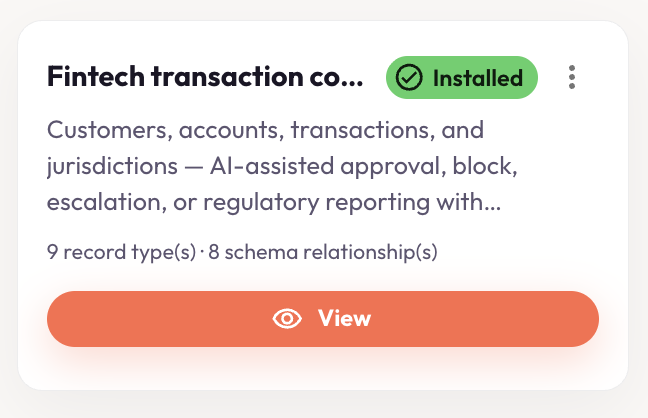
Open the dashboard and go to Playbooks. Under Industry verticals, find Fintech transaction compliance. The card summarizes what you get: customers, accounts, transactions, and jurisdictions — with AI-assisted approval, block, escalation, or regulatory reporting.
Step 2 — Install it
Click Explore on the playbook card, then Install. Installation creates the record types and schema relationships in your environment — no manual modeling required.
After install, open Settings → Data Capsules and sync
fintech-transaction-compliance. This loads the playbook’s sample data (including demo
transaction TX-8842) into the RDF cache so MCP tools can query it.
Step 3 — Explore entities, relationships, and graph view
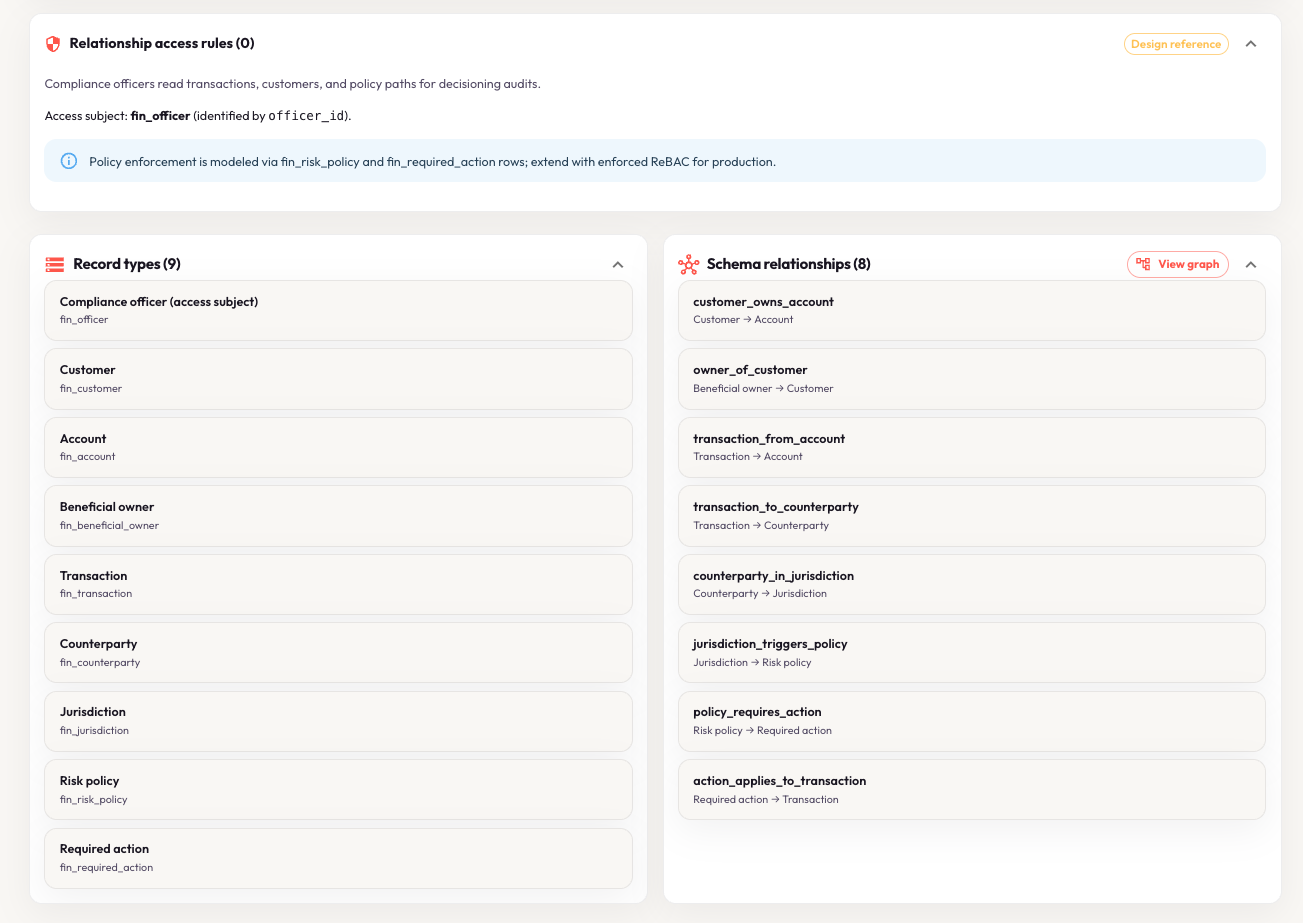
Once installed, open the playbook’s View page. You will see three things that work together:
- Record types — the entities in this domain (customer, account, transaction, policy, …)
- Schema relationships — how those types connect (e.g. transaction → counterparty → jurisdiction)
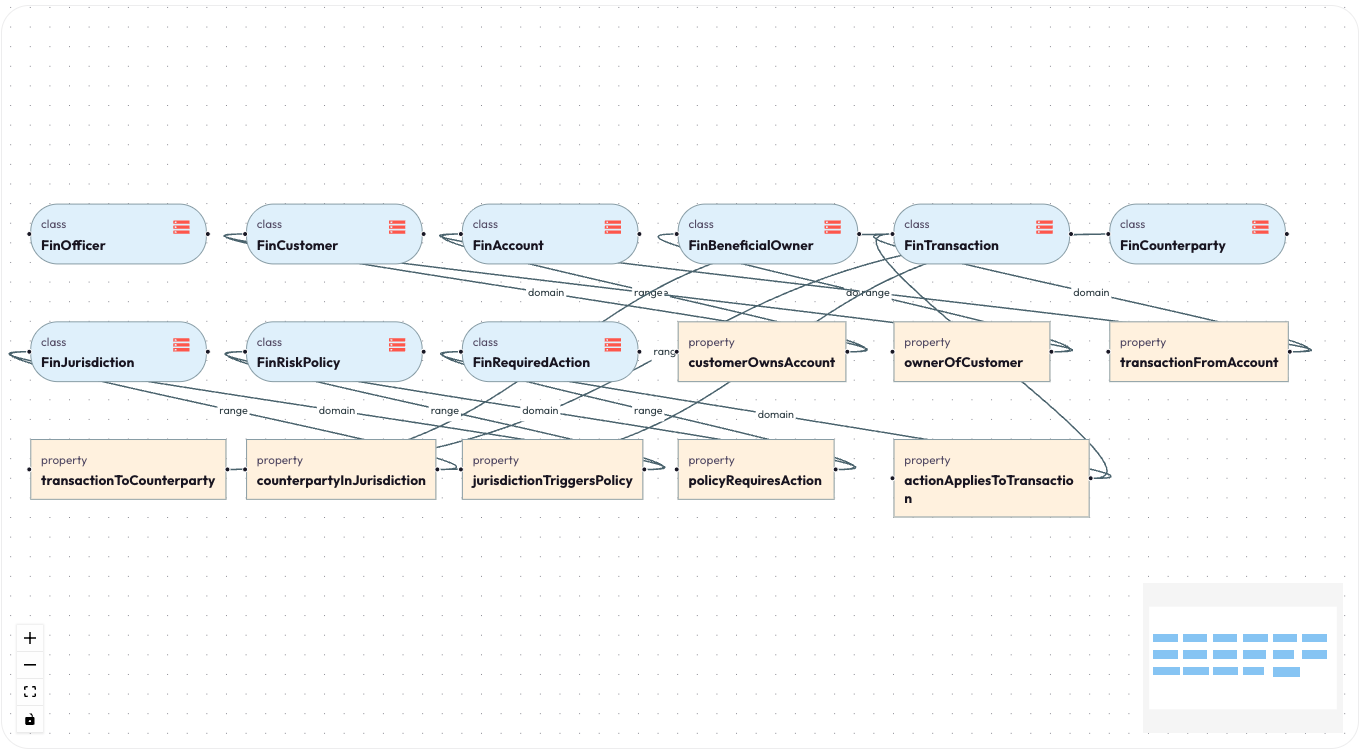
- Graph view — the same model drawn as a navigable ontology graph
At first glance it can look like a lot. That is the point of a playbook: AnythingGraph has already organized the domain for you. Classes (record types) appear as rounded rectangles; properties (relationships) appear as sharp rectangles — so you can read the schema at a glance.
Step 4 — Connect your AI agent via MCP
You do not need to memorize the graph. Once the data capsule is synced, your AI agent can query the
playbook through AnythingGraph’s MCP server — scoped by playbook_id, with
tools like get_graph_query_context and ask_graph.
Run anythinggraph mcp print-config from the CLI and add the output to your agent host (Cursor,
Claude Desktop, or another MCP client). Point the agent at
playbook_id: fintech-transaction-compliance.
Step 5 — Ask Claude (or any MCP agent)
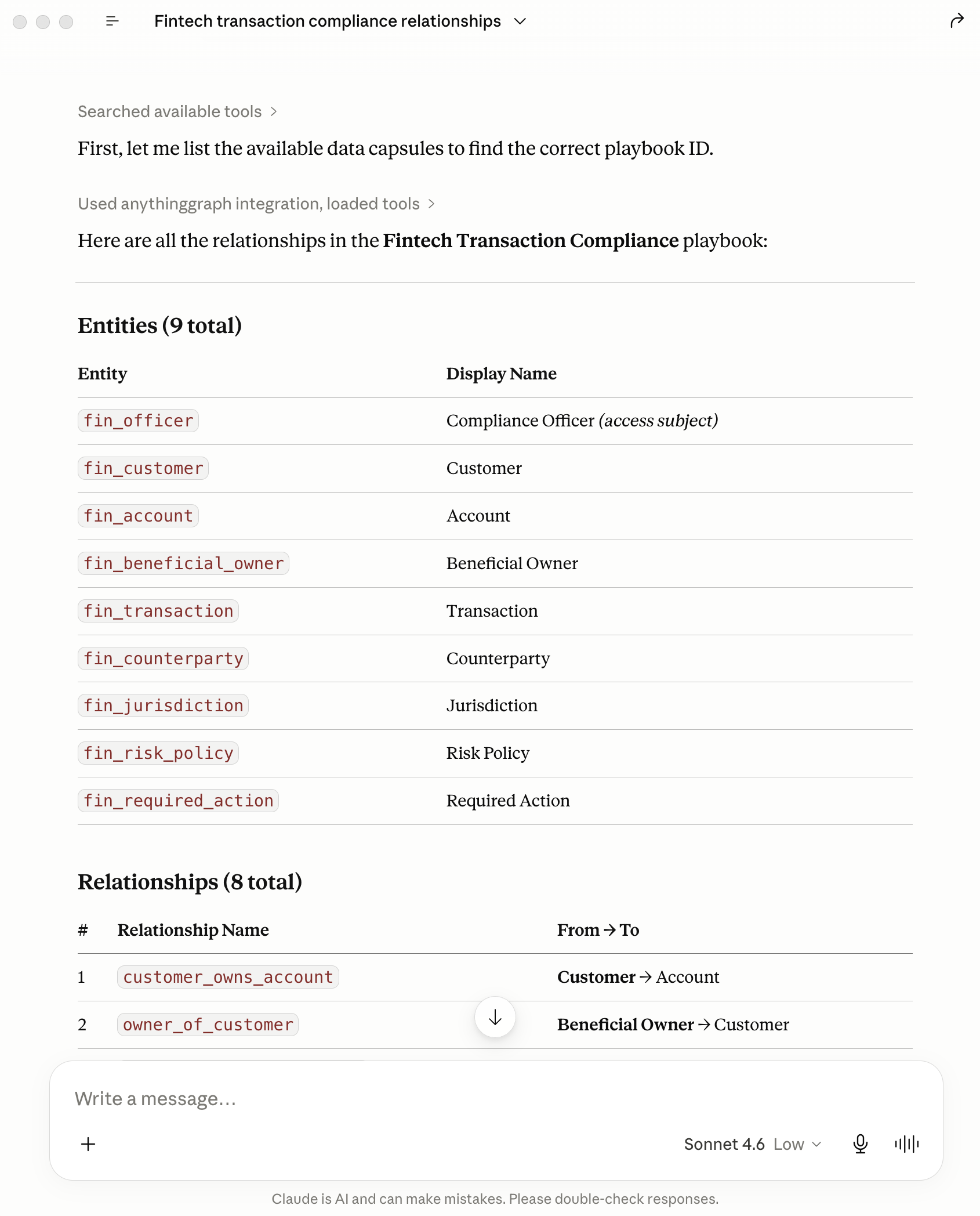
In this example we used Claude with the AnythingGraph MCP integration. First, the agent discovers the playbook schema — entities and relationships — so it knows what it can query.
Then we ask the question the playbook was built for:
“Can transaction TX-8842 be approved, blocked, escalated, or reported?”
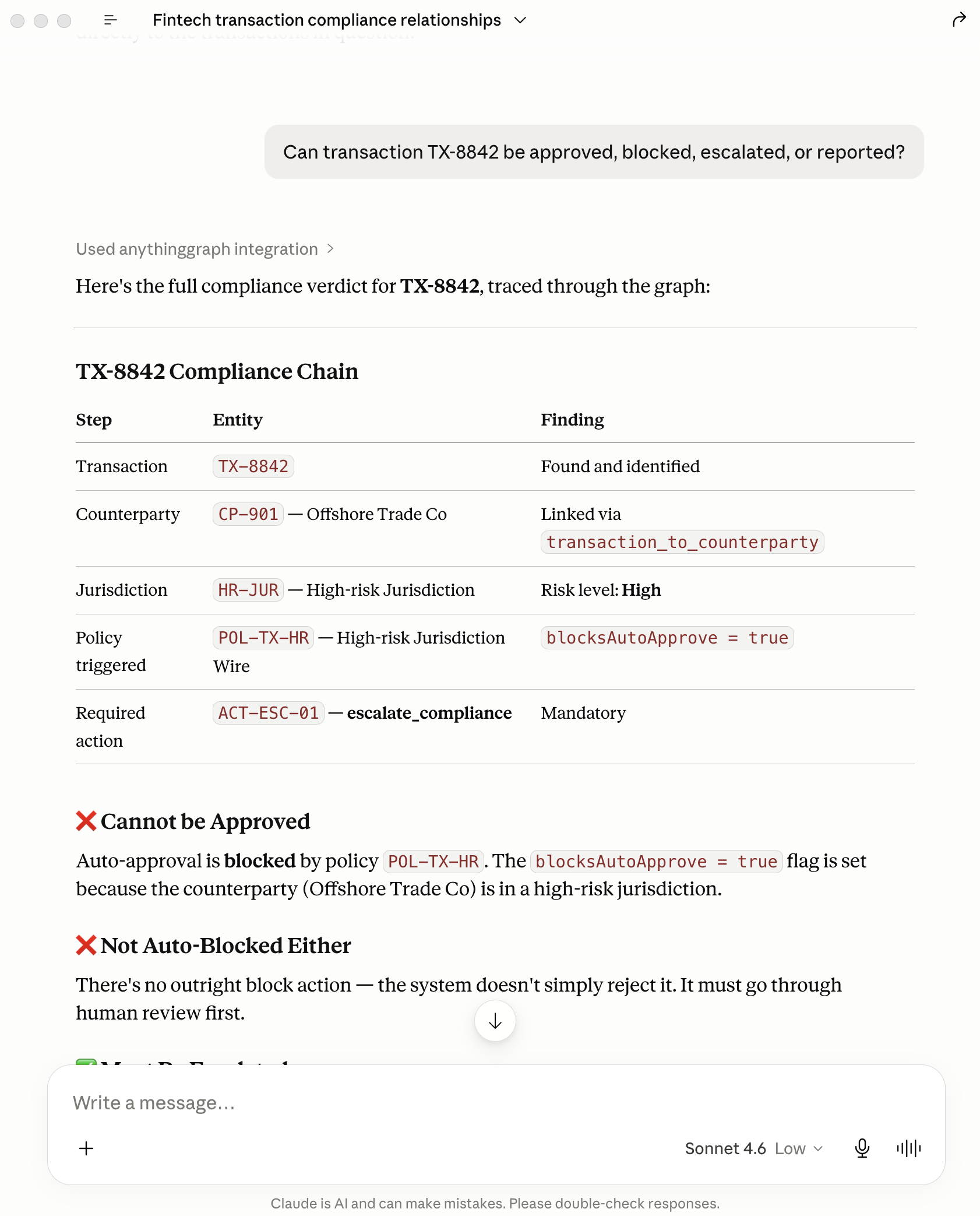
Claude does not guess. It follows the graph path and returns a structured verdict:
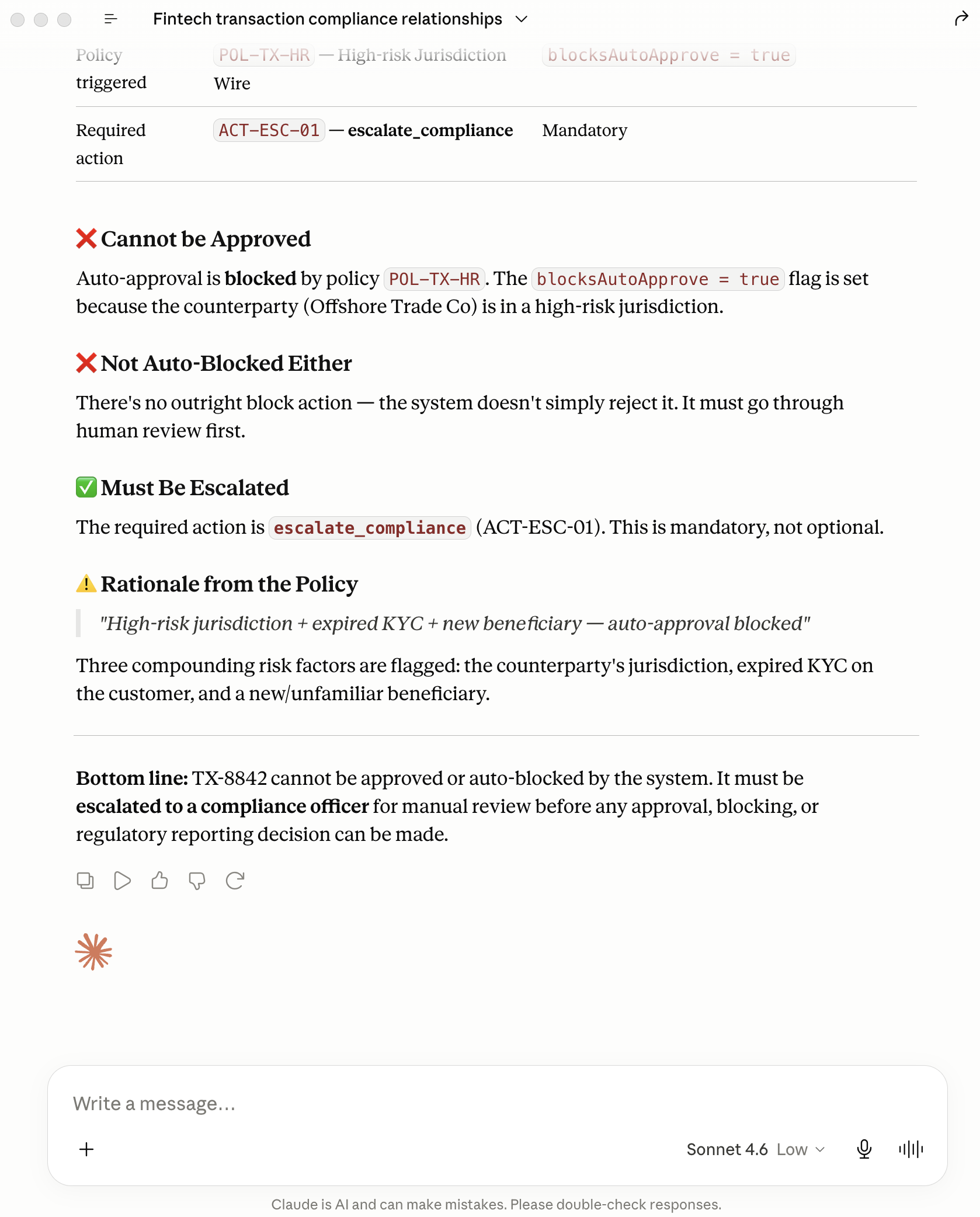
The immediate impact
In a few minutes — install, sync, connect MCP, one question — you go from a catalog card to an audit-ready compliance answer. No prompt engineering marathon. No hoping the model “remembers” your AML policy PDF.
- Structured reasoning, not prose. The answer traces TX-8842 through counterparty CP-901, high-risk jurisdiction HR-JUR, policy POL-TX-HR, and action ACT-ESC-01.
- Clear verdict. Cannot auto-approve (policy blocks it). Not auto-blocked either. Must escalate to compliance — with rationale: high-risk jurisdiction, expired KYC, new beneficiary.
- Scoped context. The agent queried one playbook capsule, not your entire data lake — smaller prompts, fewer tokens, less risk of cross-domain leakage.
- Repeatable demo. Same playbook, same sample transaction, same explainable path — ideal for pilots with compliance, risk, or fintech buyers.
That is the difference between an AI that talks about compliance and one that can participate in a compliance decision — with a graph-backed trail you can show an auditor.
What to try next
Swap the question — ask why KYC status matters, or what would change if the beneficiary were not new. Install another vertical playbook (cybersecurity, insurance, healthcare) and run the same MCP workflow.
Read why ontology matters for AI or Reasoning as Code for the architecture behind playbooks and governed MCP.